For the longest time, tracking supplement usage as a Quantified Selfer boiled down to spreadsheets and a ton of research. I attempted to integrate this with Google Health and with Oura tags. Eventually, due to the need for integrating the constant research aspect, I settled on a system using Examine.com. This is beginning to change since I discovered SuppCo.
What is SuppCo?
You probably guessed it already, but SuppCo is a web site and mobile app that at the most basic level allows you to research and track supplements. It’s broken down into the following major areas:
Products
The Products section allows anyone to search for or input the exact supplements they’re taking. From my experience, many products are already there, but if you happen to take something that isn’t, you can easily enter it by scanning the product label and answering a few simple questions. You can search for products based on name, brand or category.
TrustScore® Rating System
SuppCo has a rating system that provides a clear measure of the quality of your supplements. This is a 10 point rating system across more than 30 key quality attributes. These include product certifications, manufacturing standards, testing benchmarks and other product quality indicators. This rating system applies both to brands and individual products.
Research Center
The Research Center is where you can go to find all of the latest information on different nutrients, goals and protocols. As you use SuppCo, many sections here become more and more tailored to you. This is much of what I’ve been trying to replicate in Examine+.
Studies
These are links to studies that you are likely to be interested in based on the supplements you are taking and your health goals. Each link has a summary that prominently features the nutrients and goals mentioned in the research. You can also click through to read the full study on PubMed.
Health Goals
These are all of the high level goals that you might be interested in tracking. This would be the equivilent of ‘outcomes’ tracking in how I setup Examine+. Each goal includes a list of nutrients that impact that goal with ‘grades’ on the overall effect. You can also see links to products and the SuppCo Community related to these goals.
Protocols
Protocols are plans to meet certain outcomes that have been created by renowned experts. These contain an overview of the outcome, recommended nutrients and products, and any warnings to consider if you decide to follow the protocol.
Journeys
Journeys are nutrient specific learning modules. They provide short informational content every day as you are taking the nutrient and progressing toward your health goals.
My Stack
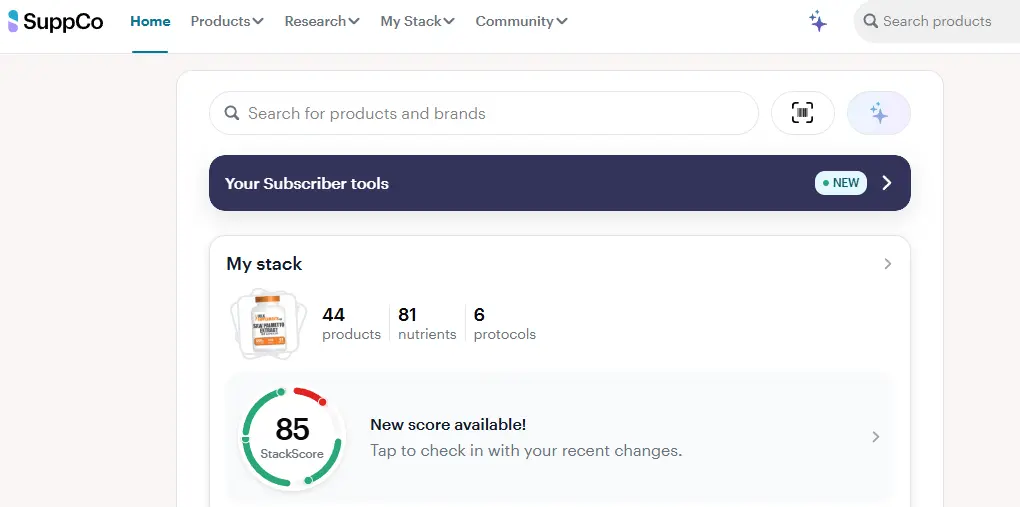
This is the section where you add everything that you are taking. In my experience, this has been by far the best product for actually tracking which supplements I’m actually using. It’s much better than a spreadsheet because it has all the details of every product right at your fingertips. You have several ways of sharing your stack from this page (see mine).
Schedule
Once you add some products, you can begin to create schedules. This is where you specify when and how much of each product you take.
Nutrients
This is where you can see a breakdown of every single nutrient you’re taking across all of your various products. If you fully enter your schedule, you can see exactly how much of each nutrient your getting daily and how that compares to recommendations. When you click on each nutrient, you can see suggestions for that nutrient as it relates to your schedule and protocols. You can also see exactly which products are providing the nutrient as well.
Plans
Plans shows how well the nutrients you are taking fulfill the protocols that you are following. There is a breakdown of each Protocol and how well your current stack and schedules adhere to each recommendation. In areas where you might be falling short, SuppCo will recommend products that will help you fulfill the protocol recommendations.
StackScore
StackScore is a number that rates your actual stack. This score is broken down based on how well your stack and dosage fulfills your goals and the quality and value of the products that you are using. You can use SuppIQ to help you improve all aspects of your StackScore.
SuppCo Community
This is probably the area of SuppCo that I use the least. There are articles from the SuppCo team and a social feed from other SuppCo users. You can see what questions and recommendations people have about products and protocols. There is definitely some good information here.
SuppIQ
An argument can be made that the tracking capabilities of SuppCo exceeds most other ways of managing your supplementation. The real area where it shines though is with it’s AI capabilities, dubbed SuppIQ. With SuppIQ, you can identify unwanted interactions, find ‘better’ versions of the nutrients that you take (this can be based on rating and/or cost). You can also identify weaknesses or excessive overlaps in your stack. This is all things that I used to spend an enormous amount of time doing manually. The benefits of this are extremely obvious if you add and remove products from your stack as frequently as I do.
SuppCo Pro
Pretty much everything I’ve described so far you can get for free. SuppCo also has a paid ‘Pro’ tier and this gets you some fantastic additional features.
Buying Club
SuppCo has a Buying Club that is currently in beta where you can purchase a decent number of hight TrustScore, vetted products. If you are a Pro member, you get 30% back in credits to use on your next purchase.
Personalized Nutrient Plan
Pro members also get a personalized nutrient plan. This takes all of the information that you’ve entered in SuppCo and recommends things to add, things to remove and dosage changes. It explains the ‘why’ (with links to studies) for each of these. You can also use this as the basis of discussing things more in depth with SuppIQ.
Biomarker Upload & Insights
Pro members can also upload their Biomarkers and use the analysis feature in order to get recommendations for nutrients that can positively impact them.
Optimize Your Products
This Pro feature provides auto recommendations for replacement products with higher trust scores that you might want to consider taking.
Function Health
I started out using SuppCo’s free tier and while putting the finishing touches on my initial review, SuppCo was acquired by Function Health. I just happened to be in the process of evaluating Function Health (review coming soon!), so a nice side effect of that was the acquisition provided a SuppCo Pro subscription to all Function members. If you’re interested in the SuppCo Pro tier, I can definitely recommend getting it through Function and you can get $25 off here!
Improvements I’d Like to See
I expect some great integrations to come as part of the Function acquisition that will likely smooth out some of the manual things that I’m currently doing (and likely solidify Function as my go forward means of testing biomarkers). Beyond this, I would like to see tighter integrations with both Oura, SelfDecode and Google Health.
One of my biggest pieces of feedback that I’ve already provided to the team is to have situational schedules. Right now, the limited number of schedules gives SuppIQ the impression that I’m taking everything in my stack daily. Many of my products are taken much less frequently than that. They have added some schedule flexibility via the Pro tier, but it currently doesn’t fully meet my needs. In addition to resistance and cardio training day stacks, I have a stack for the sauna, and for days when I’m drinking.
Finally, since I already have stacks maintained in other places and affiliate links with supplements companies. The ability to embed affiliate links in stack sharing would be very welcome. This would allow me to maintain these stacks in a single place as they evolve with a single evergreen link from my content where I discuss them.
How are you tracking your supplement usage? How does it compare to SuppCo? Drop me a line with what you do!
Leave a Reply